Track every change request and its Spec
Spec review is the new merge request review: the more curated the Spec, the better the output. EasySpecs tracks every change request and its linked Spec across your whole organization.
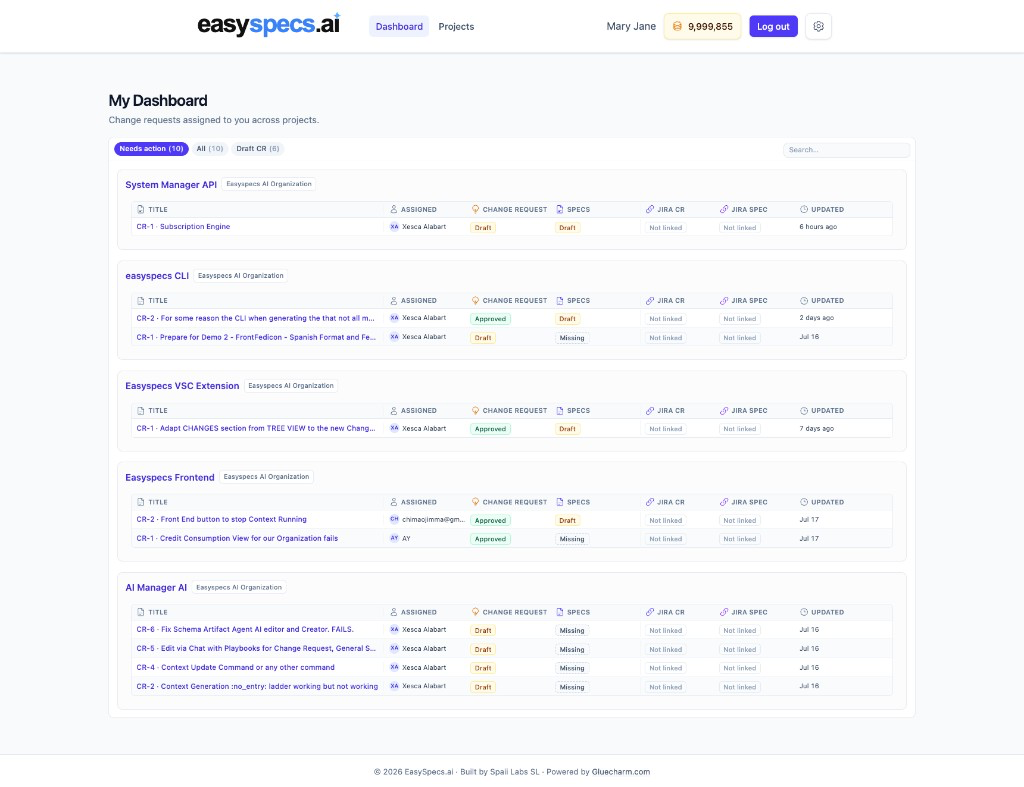

Spec Review Platform
One platform for Product Managers, Product Owners, and engineers.
Spec Review, Document Review, and comments in one workspace.
Lock new changes before anyone writes code
See how the system already behaves, so gaps are visible
Comment, reply, and close disagreements before the PR
Agentic flow design, Trust Engineering, and Specs Readiness before anyone ships.
Diagram programmatic and agentic steps, evals, and validators before agents run
Turn Specs into falsifiable claims, scope boundaries, and proof before you ship
See exactly what’s still blocking ship
One platform for the whole team, plus Jira and Linear import and push.
Import stakeholder needs → push a Task Ticket
PMs, POs, and engineering stay aligned
Sound familiar?
How it works
Polish the intent, then create Trust by Design Specs before you ship. Map the codebase first with From Code to Documentation.
Clarify what you mean before agents generate, so the ask matches the app.
Specs you can see, plus Spec of Trust validators that prove the change works.
Step 1
Capabilities that turn a raw ask into curated Specs: tracked, grounded, diagrammed, and split for delivery.
Spec review is the new merge request review: the more curated the Spec, the better the output. EasySpecs tracks every change request and its linked Spec across your whole organization.
Start with a raw, human-written change. Expand it into Intent grounded in your code and docs. Then produce a detailed Spec, AI-expanded with enough detail for agents to plan and code.
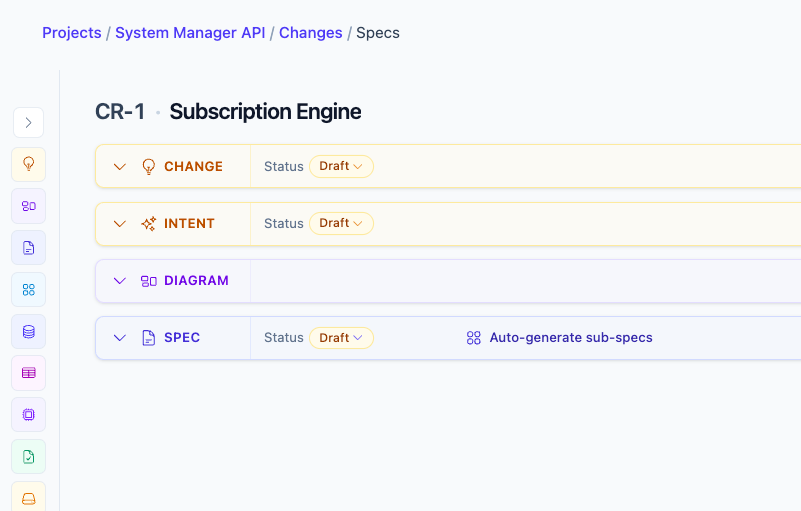
Change to Spec
Change
A raw, human-written change request: what you want, in your words.
Intent
The request expanded and grounded in your real code and current documentation.
Diagram
A visual model of the change before the Spec is written.
Spec
A detailed Spec with AI expansion, enough detail for AI to start planning and coding.
Stop bouncing between tickets, docs, and tribal knowledge. Review Change → Intent → Diagram → Spec with living Documentation one click away, so Product and Engineering agree on the system *before* anyone codes.

Specs Readiness turns “are we ready?” into green/red across Change, Intent, Diagram, Specs, Open Questions, Trust Engineering, and Comments. Fix the reds before agents or humans implement.

What Specs Readiness checks
Change
Green when the change request has content and is approved.
Intent
Green when Intent is written, grounded, and approved.
Diagram
Green when the Spec includes a visual diagram of the change.
Specs
Green when the Spec body exists and is approved.
Open Questions
Green when every open question is resolved (none left pending).
Trust Engineering
Green when Trust Engineering is present and open questions are cleared.
Comments
Green when review comments are resolved (no open threads left).
Select any passage, comment and reply in-thread, mark Resolve. Product Managers, Product Owners, and engineers close disagreements where it is still cheap, not after the PR piles up.

Import Raw Stakeholder needs from Jira or Linear, ground them in application reality through Spec Review, then push a Task Ticket from the final Spec that a developer can actually work on.

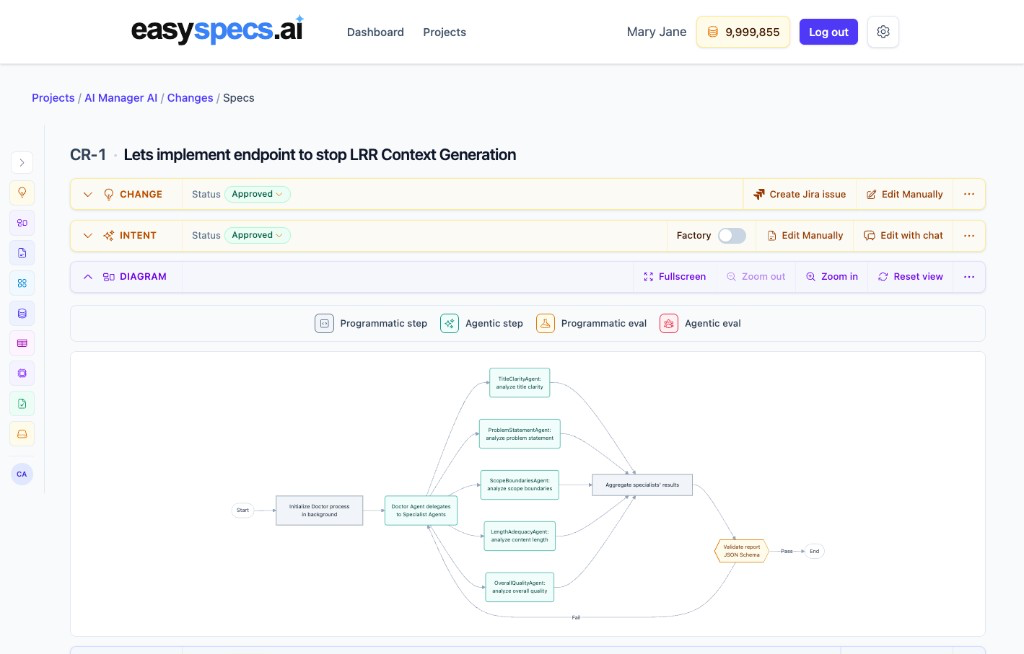
Visually friendly diagrams for programmatic and agentic steps, plus evals and validators, so you design the logic before agents run.
Flow building blocks
Programmatic step
Deterministic code steps in your agent pipeline.
Agentic step
LLM / agent steps that reason and act.
Programmatic eval
Code validators and schema checks on the output.
Agentic eval
AI judges that score quality before you ship.
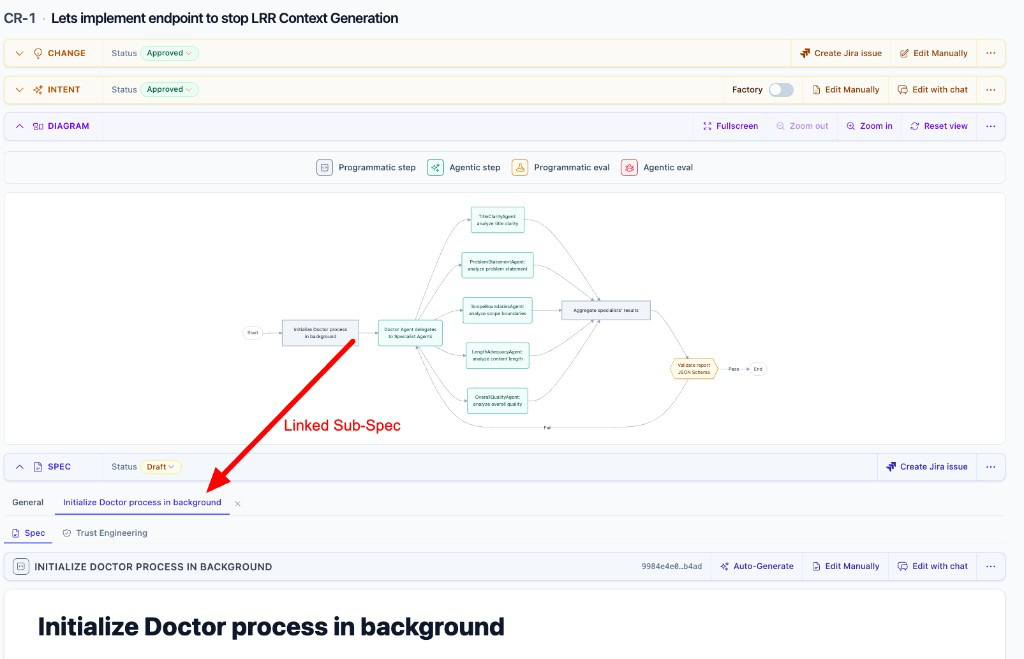
One click from the Diagram on the main Spec opens the matching sub-spec, so you split the design into smaller pieces for implementation and logic understanding, all organized, with less cognitive load for your team.
Ready to set the trust bar on your codebase?
Try it nowStep 2
Capabilities that turn Specs into proof obligations, then put them where coding happens, so agents and humans ship from the same source of truth.
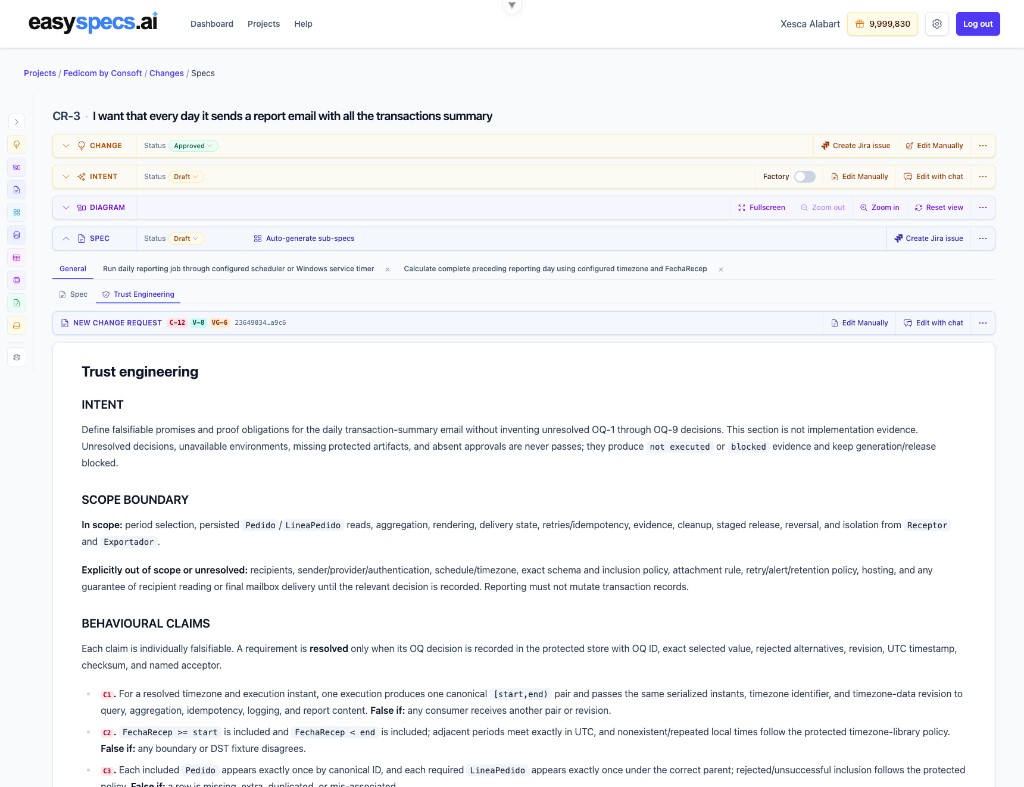
The Trust Engineering Assistant on every Spec defines intent, a hard in/out scope boundary, and numbered behavioural claims with “False if” conditions. Unresolved decisions stay `not executed` or `blocked`, never a pass, so agents don’t ship on vibes.
INTENT
Falsifiable promises and proof obligations. This is not implementation evidence.
SCOPE BOUNDARY
What is in, what is out, and what stays unresolved until a named decision is recorded.
BEHAVIOURAL CLAIMS
Numbered claims, each individually falsifiable, with a “False if” condition.
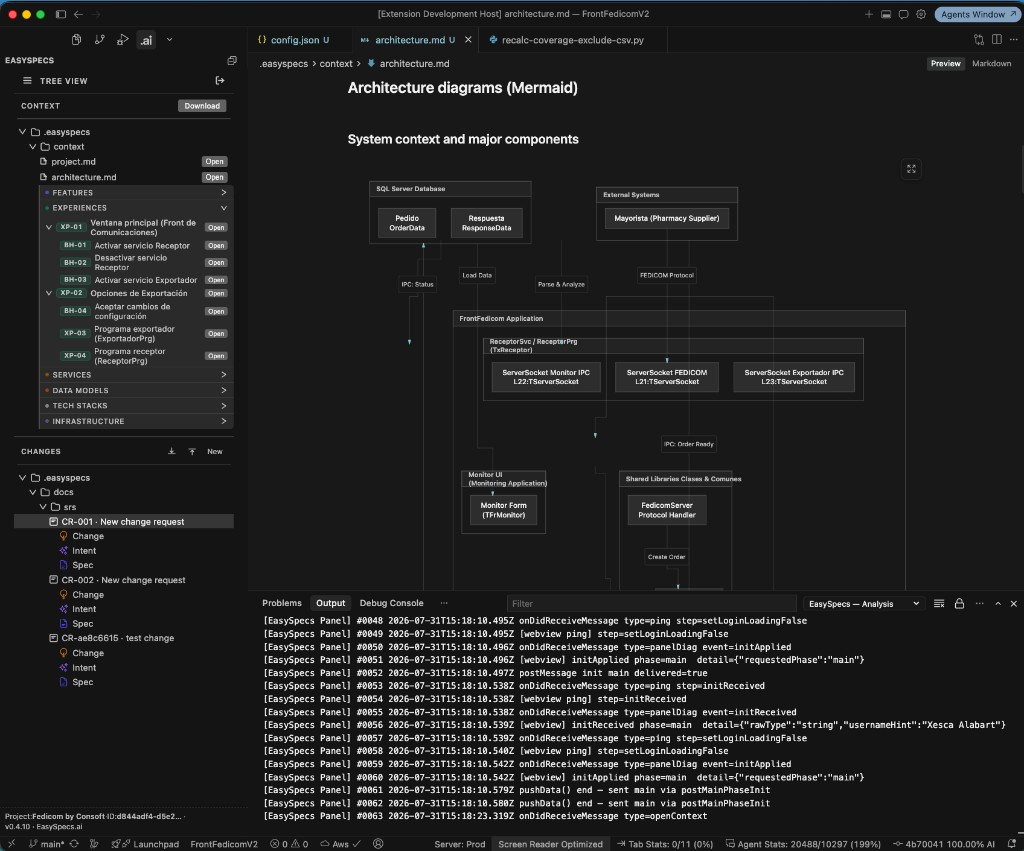
Pull context, docs, and change requests into Visual Studio Code, Cursor, or Antigravity. Edit Specs, push to the cloud, and start coding from the Spec you just designed, not a rebuilt prompt.
Works with
 Visual Studio Code
 Cursor
 Antigravity
In the extension
Download pre-processed context
Read the Documentation
Download the Change Requests
Edit Specs and push changes to the cloud
Point Cursor, Claude, Copilot, or any custom-MCP host at EasySpecs and download already approved Specs. MCP is read-only: it does not edit or change Specs. Authoring stays in EasySpecs; agents only receive what you already reviewed.

If the repository defines Skills, EasySpecs agents inherit them and apply the ones that fit the job, so team playbooks travel with the code, not with the one person who remembers them.
